AI Tattoo Generator for Artists: A Controlled Concept Workflow
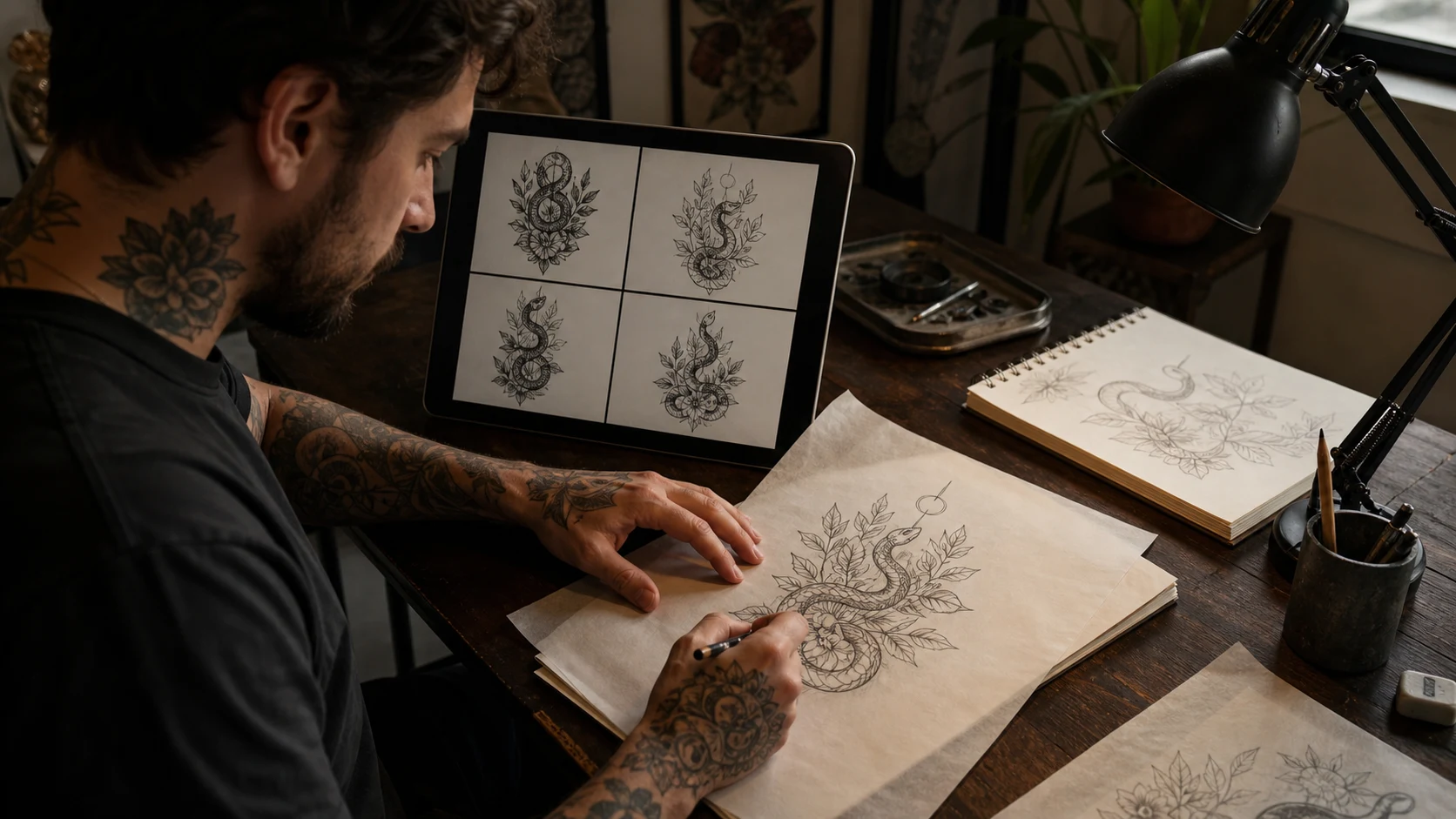
A client wants a snake moving through peonies on the outer forearm. The expression should feel watchful. The flowers need enough air to heal clean, and the whole piece has to narrow before it reaches the wrist. Four generated studies land on the screen. Three are disposable. The fourth turns the snake in a way that unlocks the composition.
That fourth image has done useful work. It has saved a blank-page detour. It still has too many leaves, broken scales, and a tail that dies against the frame. The tattoo artist now has something specific to cut apart and redraw.
An AI tattoo generator for artists earns its place at this early, rough stage. The artist controls the brief, rejects weak output, rebuilds the drawing for skin, and remains accountable for every line that reaches the stencil.
An AI tattoo generator for artists belongs in pre-production
Tattoo artists have good reasons to distrust generated images. An August 2026 report from ABC News documented studios receiving more AI references with impossible detail, misspelled lettering, repeated visual clichés, and clients expecting the screen image to transfer unchanged. In the same report, the vice president of the Professional Tattooing Association of Australia described a narrower use that does make sense: prototyping, testing effects, and assembling an early direction quickly.
That is the useful lane. A generator can make visual options at the speed of a conversation. It cannot feel the radius turn under a forearm, judge how a seven-centimeter face will settle after healing, or recognize that a dark leaf and a snake coil will merge after a few years. Those decisions still come from tattooing.
Use generation where reversibility is cheap: early concept boards, composition forks, background options, value studies, and a client’s hard-to-describe mood. Stop relying on it once the work reaches anatomy, line economy, stencil logic, and final authorship.
Write the tattoo brief before touching the prompt box
A vague prompt gives the machine room to decorate. Decoration is where generated tattoo images usually become heavy and anonymous.
Write the brief as if another artist will read it. Name the motif, body area, approximate size, silhouette, visual weight, and the details that must survive. Add the parts you want excluded. Describe a tattoo language such as blackwork, American traditional, fine line, ornamental, or black-and-grey illustration. Leave living artists’ names out of the prompt.
Blackwork snake moving upward through two open peonies, outer forearm, about 18 cm tall, narrow vertical silhouette, head visible near the elbow, broad black shapes balanced with open skin, calm watchful expression, no lettering, no decorative frame.
That prompt contains choices a tattooer can judge. “Cool snake tattoo” contains none.
In the OpenInk generator, style and complexity controls can hold the first pass inside a chosen lane. Keep one primary motif and one supporting structure. Crowding five symbols into the same generation usually produces a picture that feels busy before it has earned any hierarchy.
Generate directions and keep only the useful fragment
Run a small set of deliberate variations. Change one variable at a time: the snake’s turn, the flower scale, the amount of black, or the direction of movement. When every prompt changes the subject, style, composition, and placement together, the results are difficult to compare.
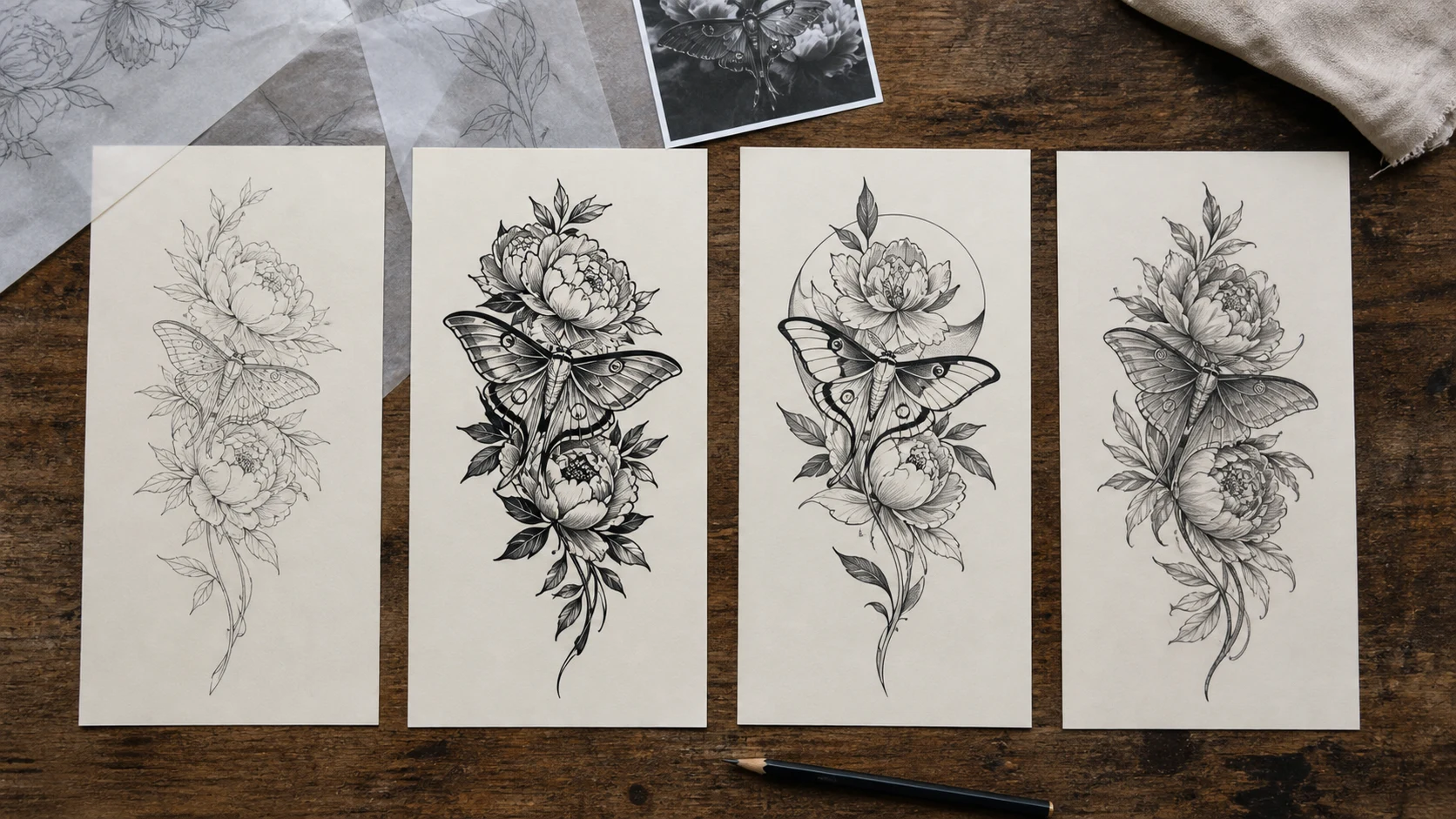
Judge the set as roughs. One version may have the right silhouette and a weak head. Another may solve the negative space around the flower. Keep those observations. There is no prize for preserving a whole generated frame.
This is also where an artist’s taste stays visible. A recognisable tattoo practice comes from repeated decisions about shape, rhythm, contrast, and restraint. Random generations flatten those decisions. Consistent art direction turns the machine into a fast reference table.
Start from your own marks when the composition matters
Text prompts are loose. A block-in gives the image structure.
Draw the main sweep of the piece, place the dominant black mass, and indicate the empty channel that needs to remain open. A rough made in thirty seconds can carry more authorship than another paragraph of adjectives. Upload that sketch through OpenInk’s photo workflow, then use words to steer subject matter, texture, and finish.
Client references deserve the same discipline. Use images the client owns or has permission to use. Keep the original files beside the generated studies, especially for portraits, handwriting, and personal symbols. The photo-to-tattoo guide covers the harder part of that process: deciding which physical details carry identity once photographic texture has been stripped away.
A generated variation should remain traceable to the brief and source material. When it drifts, discard it. Chasing the drift wastes time and gradually hands the composition over to the model.
The body gets the final edit
A clean image on a tablet is still a flat rectangle. Print the strongest direction at actual size. Place it on the client in a relaxed posture, then check it again with the wrist turned, elbow bent, shoulder dropped, or ribs expanded.
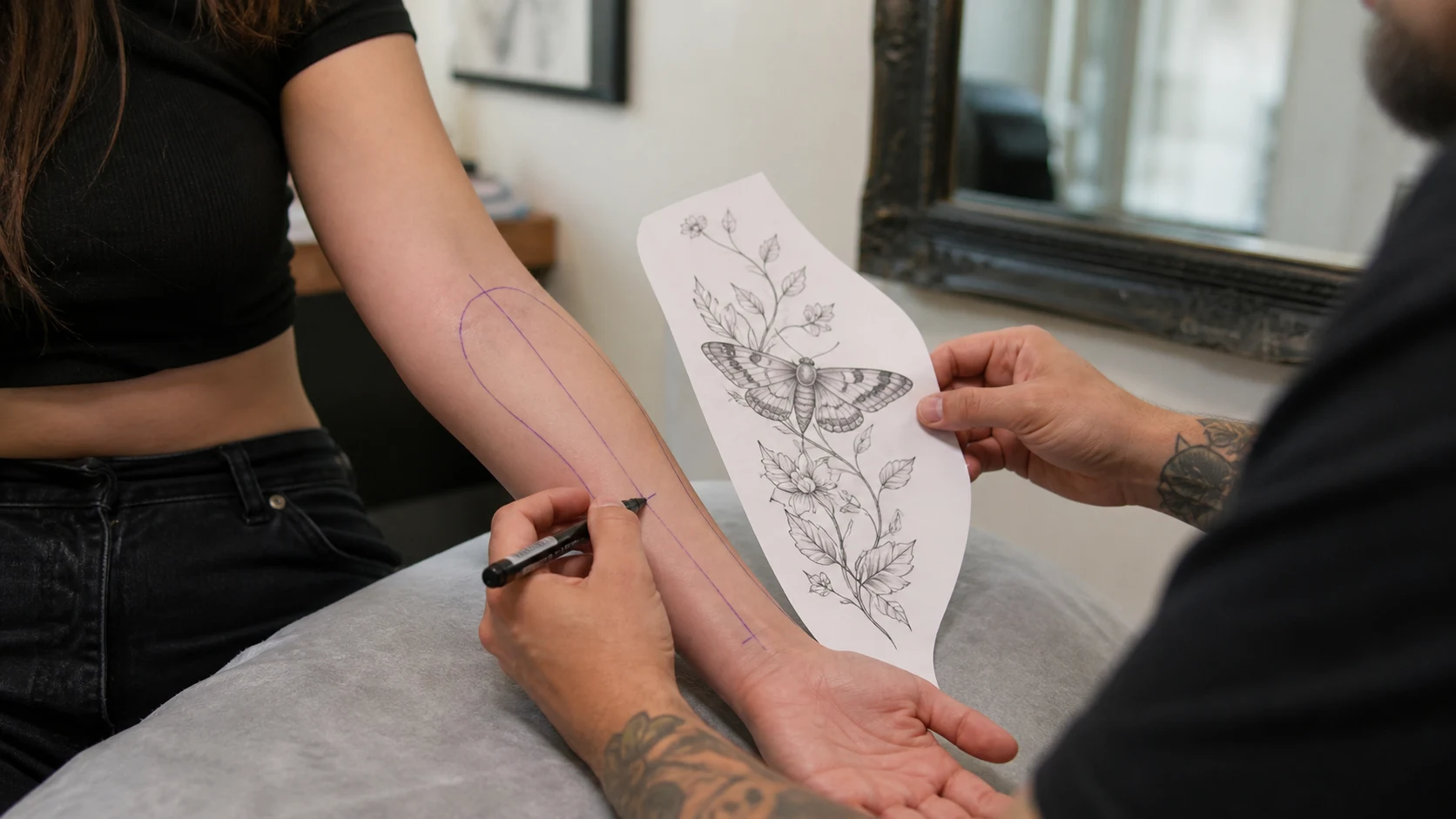
Look for the long axis first. Then check where the design narrows, where it wraps out of sight, and where dark elements cross a joint or disappear into a crease. A forearm piece often needs a different taper from the same drawing placed on a calf. A shoulder cap needs radial movement. A sternum design has to respect the centre line and the change in volume across the chest.
OpenInk’s tattoo try-on can test general scale and placement on a photograph. Curved and wrapping placements still need multiple views and a physical stencil check. The placement guide goes deeper into movement, future expansion, and reading the piece from a normal viewing distance.
Clean every line you intend to tattoo
Generated detail often looks convincing because the eye reads texture before structure. Zoom in and the problems appear: leaves merge, scales change direction, petals grow from nowhere, shadows close small gaps, and ornamental repeats lose their count.
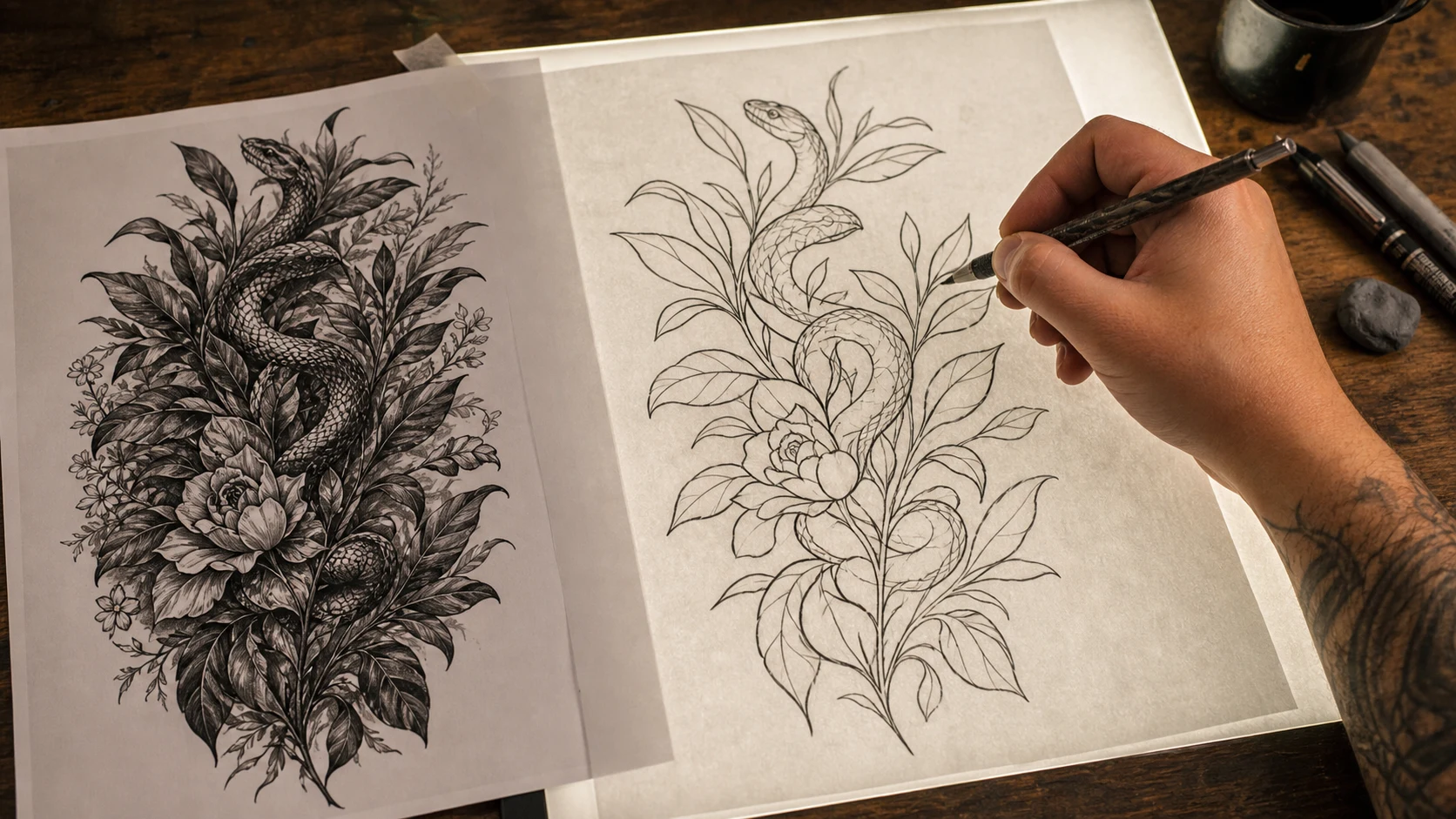
Redraw from the silhouette inward. Decide which contours carry the motif, which interior lines describe volume, and which marks are pure noise. Open negative space before shrinking the piece. Establish line-weight roles instead of giving every edge the same pressure. Lettering, hands, animal anatomy, geometry, and cultural symbols require a separate accuracy pass.
The OpenInk stencil maker can pull a high-contrast line draft from the selected image. Treat that extraction as material for cleanup. In InkCanvas, the generated base can sit under a hand-drawn layer while the artist repairs crossings, removes dead detail, and rebuilds the line rhythm. A thermal copier faithfully transfers bad decisions too.
Client trust matters as much as speed
Disclose material use of generation before the design is approved. Some clients welcome it during concept exploration. Others are paying specifically for a fully hand-drawn process. Hiding the workflow turns a tool choice into a trust problem.
Source choices matter as well. Avoid prompting with a living artist’s name and avoid uploading another tattooer’s finished work as a style target. For Indigenous and ceremonial tattoo traditions, generated pattern mixing can strip symbols from lineage and meaning. Hawaiʻi practitioners interviewed by Hawaiʻi Public Radio described that damage plainly. Work rooted in those traditions belongs with qualified practitioners and community knowledge.
Commercial terms also need a check before client work or flash sales. OpenInk’s commercial rights are attached to the Pro plan; the current details live on the pricing page. The wider copyright position varies by country. In the United States, the Copyright Office says human-created expression and creative modifications can be protected while prompting alone is insufficient authorship. Its 2025 AI copyright report gives artists another practical reason to redraw, arrange, and make substantial creative decisions themselves.
A controlled OpenInk workflow leaves fingerprints
Start with a written brief and one rough composition. Generate a handful of directions in OpenInk. Mark the useful turn, silhouette, or value pattern in each. Bring those fragments into your own drawing, test the piece at actual size on the body, extract linework only after the composition holds, then redraw every contour you plan to transfer.
The generator should leave fingerprints in the process, never confusion in the final design. Keep the frame that gives your hand somewhere to go. Delete the rest.
Turn this guide into a tattoo draft
Keep the motif from this article, then test style, placement, and line weight before you talk with an artist.