Tattoo Stencil Maker
Upload a photo, a sketch, or a finished design. OpenInk pulls the linework out and hands you a clean stencil you can refine, print, and place.
From reference to transfer-ready, without the redraw
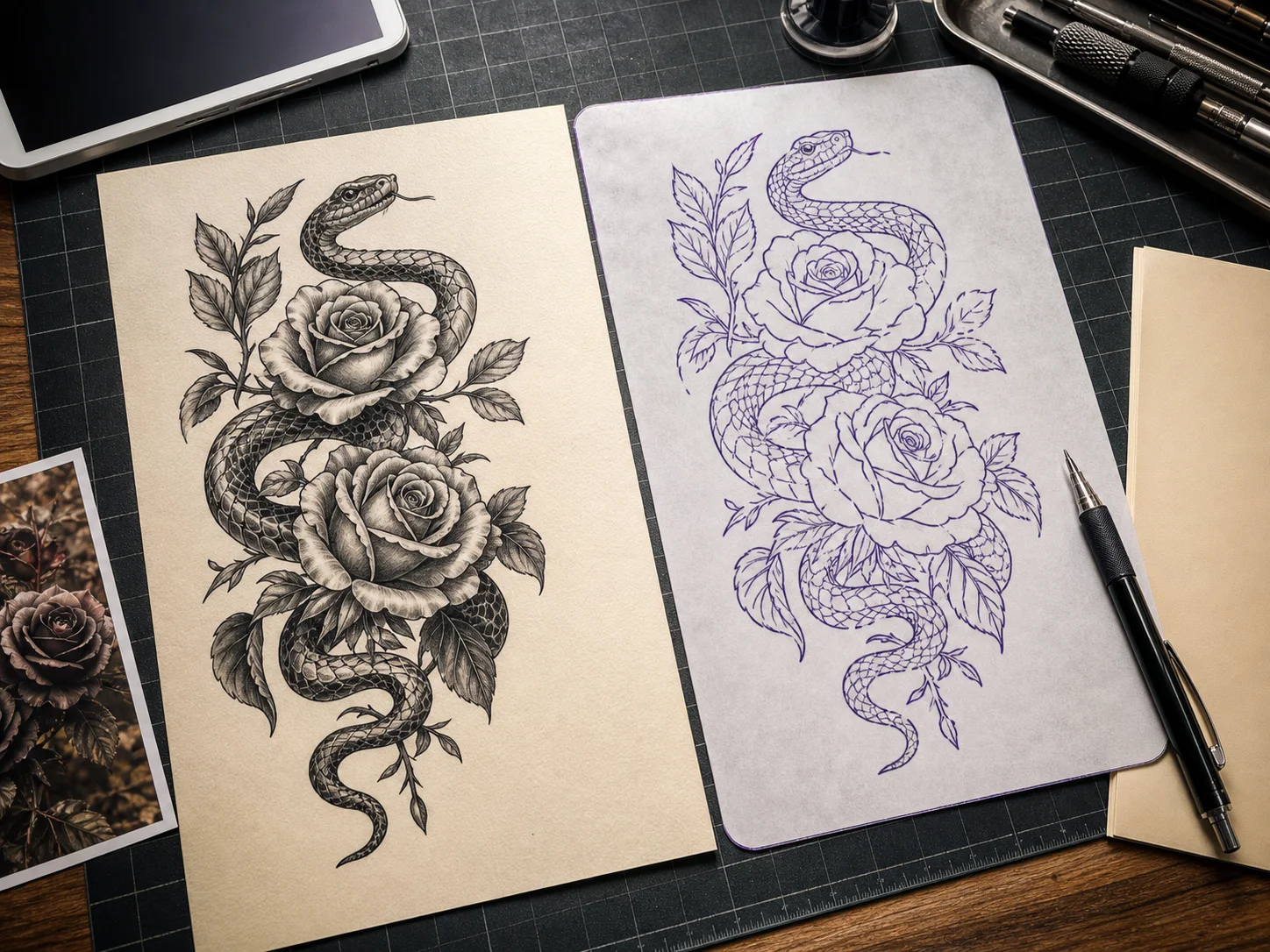
Most stencil prep is tracing. You take a photo or a finished design, pull the contours off it, and simplify until only the lines you need are left. That step eats studio time. OpenInk does the extraction in about 8 seconds: upload the image, get back clean black-and-white linework with the noise stripped out.
The output is built for transfer. Solid outlines, simplified shading, and contrast high enough to survive a thermal copier and carbon transfer paper. When a line needs to move, you don't start over. Open the stencil on the InkCanvas whiteboard, zoom into the detail, and adjust it stroke by stroke.
It works from photos, pencil sketches, reference images, and finished tattoo designs, including anything you generate on OpenInk.
How it works
Upload your image
A photo, a sketch, a reference picture, or a design straight from the OpenInk generator. Sharp images with visible contours extract best.
Extract the linework
The stencil engine strips color and shading and keeps the contours. About 8 seconds later you have black-on-white line art sized for printing.
Refine on InkCanvas
Open the result on the whiteboard to thicken key lines, drop distracting detail, merge several elements, or snap geometry to a grid.
Print and transfer
Download the stencil and print it for thermal or hand transfer. The contrast is set so lines stay crisp on transfer paper.
What artists run through it
Client photo to stencil
A client brings a phone photo of their pet, a relative's handwriting, or a tattoo they found online. Extract the lines and have a workable stencil before the consult is over.
AI design cleanup
AI images tend to carry gradients and stray detail that don't transfer. Stencil extraction reduces them to linework a thermal printer can actually reproduce.
Line art from finished designs
Turn a full-color piece into outline-only linework. The key contours stay put; the fill and texture go.
Geometric and lettering prep
Use the InkCanvas grid to keep mandalas symmetrical and script baselines straight before anything touches skin.
Stencil questions, answered
Styles that live or die by their linework
Some styles carry a stencil better than others. These guides cover the ones where clean lines do the heavy lifting.
Fine line tattoos
Hair-thin lines with no shading to hide behind. See what survives healing.
Blackwork tattoos
Solid black fields and hard edges. The stencil is the tattoo.
Geometric tattoos
Symmetry and repeating shapes that punish a crooked transfer.
Dotwork tattoos
Stippled gradients built on a precise outline underneath.