Virtual Tattoo Try-On
Upload a photo of the spot and a design. See the tattoo on your own skin, at real scale, before anything is permanent.
Most tattoo regret is placement regret
Ask people what they'd change about a tattoo and it's rarely the design. It sat too high, wrapped the arm at an odd angle, or came out smaller than it looked on a phone screen. Those are placement calls, and they're the cheapest mistakes to catch: every one of them shows up in a mockup.
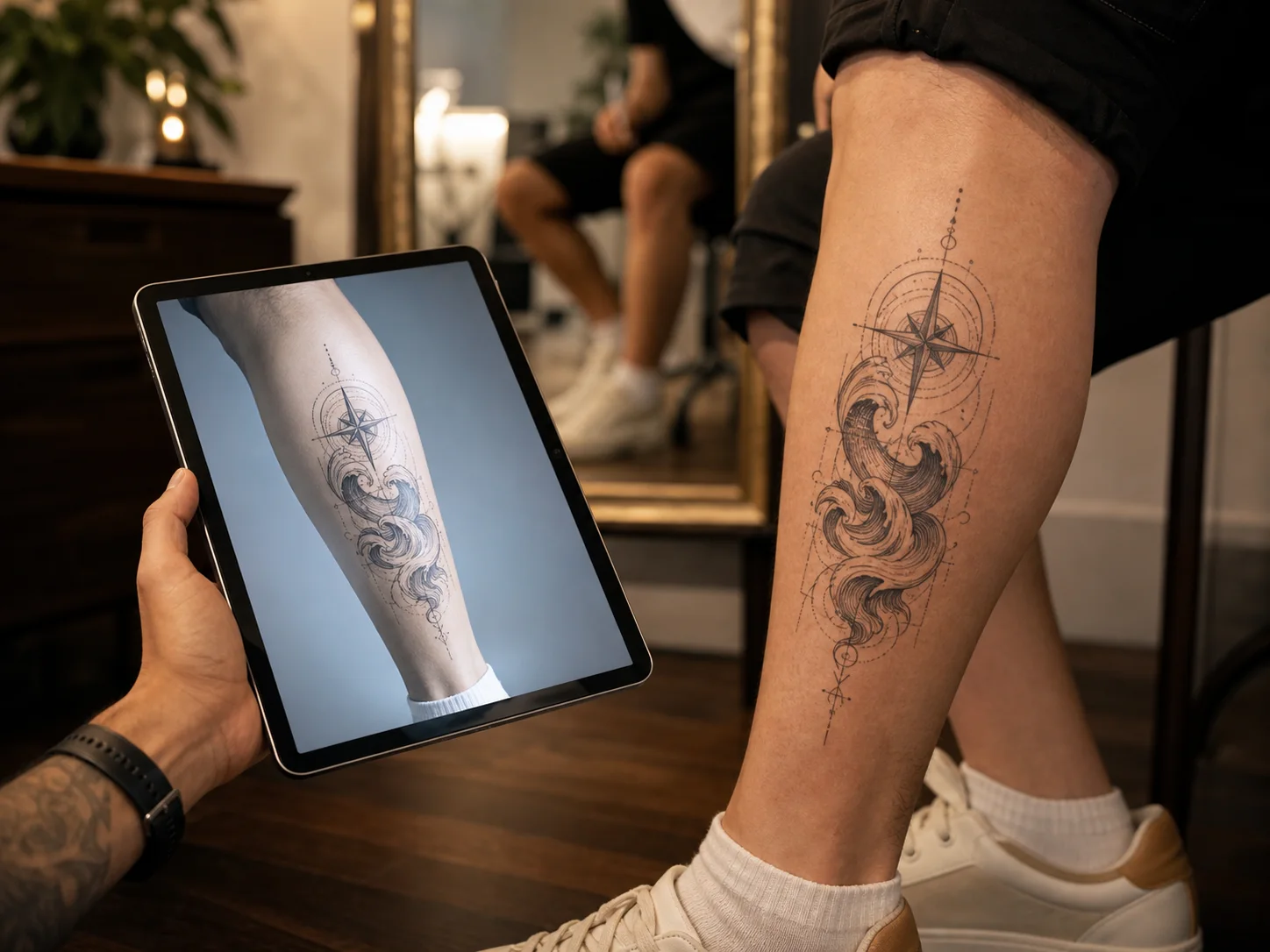
OpenInk's try-on takes two photos, the design and the body part, and renders the tattoo onto your skin with believable scale and perspective. Forearm, upper arm, shoulder, calf, spine, chest. If you can photograph it, you can preview on it.
Run the same piece at two sizes. Test it on the forearm, then the upper arm. Take the version that works to your consult as a photo instead of a hand gesture and a guess.
How it works
Photograph the placement
A clear photo of the body part, straight on and in even light. Skip the gym mirror shot; a plain wall works better.
Add the design
Upload any tattoo design, or use one you generated on OpenInk a minute ago.
Generate the preview
The AI maps the design onto your photo with realistic size and angle. About 8 seconds.
Compare and decide
Rerun it bigger, smaller, higher, rotated. Screenshots of two versions settle placement debates fast.
What a mockup settles
The size question
That 14 cm koi looks bold in a gallery and modest on an actual forearm. Seeing it at scale ends the back-and-forth.
Forearm or upper arm
Same design, two placements, two very different tattoos. Preview both and compare them side by side.
The consult opener
Artists quote and plan faster when you arrive with the design already sitting on the right body part in a photo.
The old idea, finally checked
That design you saved three years ago: put it on your skin in a mockup and find out if the wait was worth it.
Try-on questions, answered
Decide the style before the spot
Placement and style pull on each other. These guides cover how the big styles sit on different parts of the body.