The Best AI Tattoo Generators in 2026, Compared by Someone Who Makes One
Search "best AI tattoo generator" and the first page of results is mostly written by AI tattoo generators. A post on inkstudioai.com/blog ranks Ink Studio AI first. One on inkaitattoo.com/blog ranks INK first. tat.ink/blog does the same for Tat Ink. None of them is lying, exactly. None of them is a witness either.
We build one of these tools, so this page carries the same conflict. The only honest fix we could think of was to stop reviewing and start transcribing. Every competitor figure below was read off that company's own pricing page, FAQ or App Store listing on 27 July 2026, and the section about OpenInk lists five places where the others beat us.
A few of those pricing pages were running discounts the day we looked, with struck-through original prices sitting next to the sale figure. Everything here is a dated snapshot.
The question that actually sorts these tools
All of them will draw you a decent picture. That part is solved, and it is no longer what separates them.
What splits them now is what happens after the picture: transfer-ready linework, a body preview at the intended size, and practical cover-up support for an existing tattoo. Those capabilities are unevenly distributed, and the marketing copy on every homepage sounds identical regardless.
The second split is how you pay. Most of these are subscriptions with unlimited generation. One sells you a fixed number of days and then stops. One meters credits. If you are designing a single tattoo and will never open the app again, that difference matters more than image quality does.
| Tool | Free tier (source date below) | Paid entry point | Stencil tool | Body preview |
|---|---|---|---|---|
| BlackInk AI | 3 credits, one-off, roughly 6–12 images | $15.00/mo, $72.00/yr | Yes, image-to-stencil | Still photo, 1 use free |
| INK (inkaitattoo.com) | 3 designs per day, resets | $14.99/mo, $39.99/yr, $179 lifetime | Not listed | Still photo |
| TattoosAI | Basic plan exists, size not published | $14.99/mo, or $4.99/mo billed yearly | No | None, confirmed in its FAQ |
| Ink Studio AI | 1 generation total | $12.99 for 7 days, one-time | No | Try Tattoo (3D), unspecified |
| Tat Ink | Daily free uses, count not published | $8.79/mo promo, list $10.99 | Yes, Tattoo to Stencil | Still photo |
| Adobe Firefly | Free daily generations, Adobe account required | $9.99/mo | No | Workaround only |
| INKHUNTER | Free app with in-app purchases | In-app purchase prices not verified | Not stated | Live camera AR |
| OpenInk | First generation with no account, then 1 a week | $9.90/mo, $89.90/yr | Yes, about 8 seconds | Still photo |
BlackInk AI has the deepest toolbox and a free tier you should skip
The navigation across the top of blackink.ai lists six tools: AI Designer, Font Generator, Cover Up, Gap Filler, Stencil Maker and Idea Generator. That Cover Up and Gap Filler pairing is the reason to care. If you have an old piece you want buried, or an awkward hole in a half-finished sleeve, BlackInk has a button for it. INK is the only other product here with a cover-up tool, and no other site we read lists a gap filler at all. Elsewhere you improvise with prompts.
The site claims 28+ tattoo styles, over 10,000,000 designs generated and 1.5M+ users worldwide. Those are self-reported figures on a marketing page, not audited numbers.
Pro Unlimited runs $15.00 billed monthly, $39.99 billed quarterly, or $72.00 billed annually, and the page says all prices are in USD and you can cancel any time. That annual figure is the cheapest unlimited-plus-stencil combination of anything here. It buys unlimited generations, unlimited body visualization, placement templates including full sleeves, control over complexity, color and line weight, unlimited 4x upscale downloads, private designs, and permanent storage.
The free tier is a different story, and BlackInk writes the whole indictment itself on its own pricing page: body placement visualization is limited to 1 use only, some images are locked and blurred, all designs you create are public, and designs may be deleted after 30 days. Three credits sounds harsher than it is, since a footnote defines one run of the designer as 2–4 images for 1 credit, so you get roughly six to twelve images. But they may be blurred, they will be public, and they may not survive the month.
One clause worth reading before you plan a flash sheet. BlackInk's FAQ says tattoo artists are allowed to use designs for tattooing, but that resale and redistribution of work is not permitted, naming flash tattoo books and tattoo stickers specifically.
INK gives away the most, by a wide margin
inkaitattoo.com is a mobile-first product, and its footer says it is available on iOS, Android and Web with download links for both stores. Twenty-plus styles, and the homepage claims 1M+ tattoos generated, 500K+ users and a 4.9 App Store rating. Again, self-reported.
The free offer is the headline: 3 AI tattoo designs per day, no card required. Nothing else we checked publishes a bigger resetting allowance.
Two of its features get their own sections on the homepage, which is usually a decent signal that a company built the thing instead of listing it. The Cover Up generator takes a photo of an existing tattoo and works from its shape, size and darkness. The Sleeve generator plans full, half and quarter sleeves and leg compositions as one layout. Sleeve planning is genuinely hard with a plain text-to-image tool, where every prompt returns a standalone image and the whole difficulty is in the seams.
Pro Monthly is $14.99, Pro Yearly is $39.99 with a "Save 78% vs monthly" badge, and there is a $179 one-time Lifetime option. Pro Monthly's feature list includes "HD export (no watermark)".
The site's Pinterest comparison table claims "Full rights to use your designs" on the INK side. That is a marketing table, and a marketing table is not a license agreement. Read the actual terms before you treat it as one.
TattoosAI is the cheapest unlimited, and it tells you what it can't do
The product is one thing: type a description, pick a style and a color, get a design. Eighteen-plus styles. No photo input, no stencil, no lettering tool.
Billed annually it works out to $4.99/month with a "SAVE 70%" badge, against $14.99/month for the monthly plan. Both include unlimited tattoo designs and permanent cloud storage. That annual rate is the cheapest unlimited generation in this comparison, and it is not close.
Credit them for the candor. Asked in its own FAQ whether you can preview a tattoo on your body, TattoosAI answers "Not at this moment. We are working on a tattoo simulator..."
One catch on the free side: on the basic plan your designs are added to the public exploration gallery, and keeping them private requires the pro plan. Separately, the homepage counter reads 1,031,667 tattoos generated for 9,635 happy customers, a much smaller user base than BlackInk or INK claim. That scale does not determine drawing quality.
The site runs in eight languages, counting English: Spanish, German, Japanese, Indonesian, Italian, French and Portuguese.
Ink Studio AI sells days, not subscriptions
This is the only product here that does not want a recurring relationship with you, and its FAQ is blunt about it: all plans are one-time payments, you will not be automatically charged or renewed, you only pay for the access period you choose of 7, 14 or 30 days.
$12.99 buys 7 days. $16.99 buys 14, with $31.98 struck through beside it. $23.99 buys 30, struck through from $55.96. Each period includes unlimited generations, an AI prompt optimizer, image-to-tattoo, style transfer and a pool of premium credits that scales with the plan: 10, 20 and 30 respectively.
Most people getting tattooed are not running a design studio. They want one piece, they want two weeks to argue about it with their artist, and then they want to be left alone. For that person this is the cleanest payment model in the category, and the fact that nobody else offers it says more about the market than about the model.
What it costs you: the free trial is 1 tattoo design generation with standard quality downloads, the smallest free tier of anything we checked, and once your period ends the FAQ says you can still view your previously generated designs but cannot generate new ones until you buy another pass.
Its footer also lists three calculators, for tattoo price, tattoo size and tattoo removal cost, alongside a font generator and a Try Tattoo (3D) viewer. BlackInk carries a cost calculator too, but nobody else here runs a whole set of them. There is no stencil extraction tool in that list.
Tat Ink puts commercial licensing near the bottom of the price list
Six products in the footer: AI Tattoo Generator, Tattoo Font Creator, Image to Tattoo, Tattoo to Stencil, Try-On Tattoo and an idea generator. Along with BlackInk and OpenInk, it is one of only three products here where stencil, try-on and lettering all live behind the same login. The font tool advertises lettering for names, quotes and dates across 20+ font styles, the page naming gothic, cursive, calligraphy, brush and minimalist.
Pricing on the day we looked was mid-promotion across the board. Ink Pro at $8.79/month, reduced from $10.99, for 300 credits. Ink Pro+ at $16.79 from $29.99, for 900 credits. Ink Max at $34.99 from $84.99, for 2500. Credits do not roll over; the FAQ says they reset at the end of each billing cycle and cannot be accumulated.
Now the part that needs care. Tat Ink's FAQ states that all paid plans include a full commercial license and that generated designs are safe for commercial use, naming independent creators, designers and professional tattoo studios. But the plan comparison on the same page lists "Commercial usage support" only under Ink Max, the $34.99 tier. Those two statements do not agree. We are not going to guess which one governs, and neither should you: if commercial use is why you are buying, ask them in writing first.
Its pricing page also carries a value calculator that compares subscription cost against hiring a flash artist at $50 a design. That is the vendor's own arithmetic, and we are not repeating it as a finding.
Adobe Firefly is not a tattoo tool, and is still the right answer for some people
Firefly is general-purpose image generation with a tattoo landing page attached. It has no stencil extraction. It has no try-on feature; Adobe's own FAQ describes the workaround, which is to feed the generator both your tattoo image and a photo of yourself as reference images, then write a prompt describing where you want the tattoo placed.
Firefly is here because of one statement no tattoo-specific tool in this comparison matches: Adobe states that Firefly models are commercially safe, and that you can use Firefly-generated designs for both personal tattoos and commercial projects. That holds on the free tier, which needs an Adobe account and gives free daily generations. The privacy answer is equally direct, saying your content is kept private and is never used to train AI models.
For an artist building a flash book, or anyone who cares where the training data came from, that combination outranks a longer feature list.
Adobe is also unusually honest about the ceiling. Its FAQ says AI may not always capture the full artistic nuance and may present technical or stylistic limitations, and that creators typically use Firefly as an inspiration tool and then collaborate with a professional tattoo artist to perfect the final artwork. A second answer adds that designs may need adjustments depending on your skin tone or body type, since colors and details look different on real skin. That is the correct expectation for every tool on this page, including ours.
Individual plans start at $9.99/month for Firefly Standard with 2,000 monthly generative credits, then $19.99 for Pro with 4,000, $49.99 for Pro Plus with 10,000 and $199.99 for Premium with 50,000. Those credits are spent across all of Firefly, images and video and audio together, so do not read them as a monthly tattoo allowance.
INKHUNTER does one thing nobody else does
Point your phone at your forearm and the tattoo sits on your skin and moves with it. That is real-time augmented reality, and INKHUNTER is the only product here that does it. BlackInk, INK, Tat Ink and OpenInk all work from a still photo you upload instead. TattoosAI has no body preview at all, and Ink Studio AI never describes how its Try Tattoo (3D) viewer works.
The App Store listing is "INKHUNTER - AI Tattoo Design", subtitled "Art Generator with AR viewer", free with in-app purchases, rated 4.7 out of 5 from 25K ratings. It runs on iPhone and iPad, needs iOS 16.0 or later, weighs 122.2 MB, and there is an Android build. The description invites you to try on your own design, pick one from the gallery, or search the web, then check it from different angles.
The app is under active maintenance: version 4.0.0 shipped 12 June 2026 and 4.0.3 arrived on 11 July 2026. Check the version history yourself before repeating anything you read about this one being abandoned. Our own first draft nearly printed a date two years stale, because an automated summary misread the year.
The App Store information panel lists English as the only language, and inkhunter.co is close to a placeholder page: a slogan, three words, an email box, no pricing and no feature detail, so the App Store listing is the only real documentation.
The separate paid app from the same developer, INKHUNTER PRO, is subtitled "No ads. No watermark.", which tells you something about the free one.
OpenInk, and the five places it loses
Here is our own tool, with the same treatment.
The shape of it is a single account that carries a design from an idea to something an artist can work from. Five workbenches: text to tattoo, photo to tattoo, lettering, stencil maker and try-on. Plus InkCanvas, a whiteboard where you can redraw stencil lines by hand, merge several references onto one canvas and align to a grid before exporting.
A generation takes about thirty seconds to a minute. Stencil extraction from an uploaded image takes about eight seconds, and it accepts photos, pencil sketches and finished designs, including ones we had nothing to do with. There are 32 styles, each with a written guide sitting behind the name, and the interface, the blog and all 32 guides exist in 11 languages. Among the tattoo-specific tools here, Tat Ink's footer offers English only, INKHUNTER lists English only, and TattoosAI runs eight.
Your first generation needs no account, no email and no card. After that a free account gives 1 generation a week, watermarked and at lower resolution. Plus is $9.90/month for 1,200 credits, Pro is $19.90/month for 3,000, annual terms are $89.90 and $179.90, and one-off packs run $3.99 for 300 credits, $8.99 for 800 and $19.99 for 2,000. A standard generation costs 10 credits, so Plus is about 120 images a month and Pro about 300.
Now the losses, which are real.
Our free tier is one of the tightest here. One generation a week against INK's three a day. Over seven days that is 1 versus 21. If your plan is to explore for two weeks without paying anything, INK is straightforwardly the better tool for those two weeks, and Tat Ink and Firefly also reset daily.
Heavy users pay more with us. BlackInk is $72.00 a year for unlimited. INK is $39.99 a year. TattoosAI works out to $4.99 a month. Our Pro annual is $179.90 for roughly 300 images a month. Paid plans here do raise the output resolution and drop the watermark, which is why the meter exists. It still runs out. If you want to burn through two hundred images in an evening and keep one, an unlimited plan is the right purchase.
Commercial rights sit on our most expensive plan. Pro members get commercial rights; other paid plans are personal use. Tat Ink's FAQ puts a commercial license on plans starting at $8.79 a month, and Adobe puts commercial safety on a free account. For an artist selling flash, we are the expensive door.
No live AR. Our try-on wants a photo of the placement, and our own FAQ admits that curved spots like full wraps are harder to judge from one photo and suggests shooting them from a couple of angles. INKHUNTER's camera solves that problem properly.
No cover-up and no gap filler. If you are here because you have a tattoo you regret, we do not have a tool for you. BlackInk has both, and INK's cover-up generator reads the shape, size and darkness of the existing piece. Go use one of those. We would also point you at BlackInk or INK for placement templates and sleeve planning, which we do not have either, and at Ink Studio AI if you want a price or removal-cost calculator.
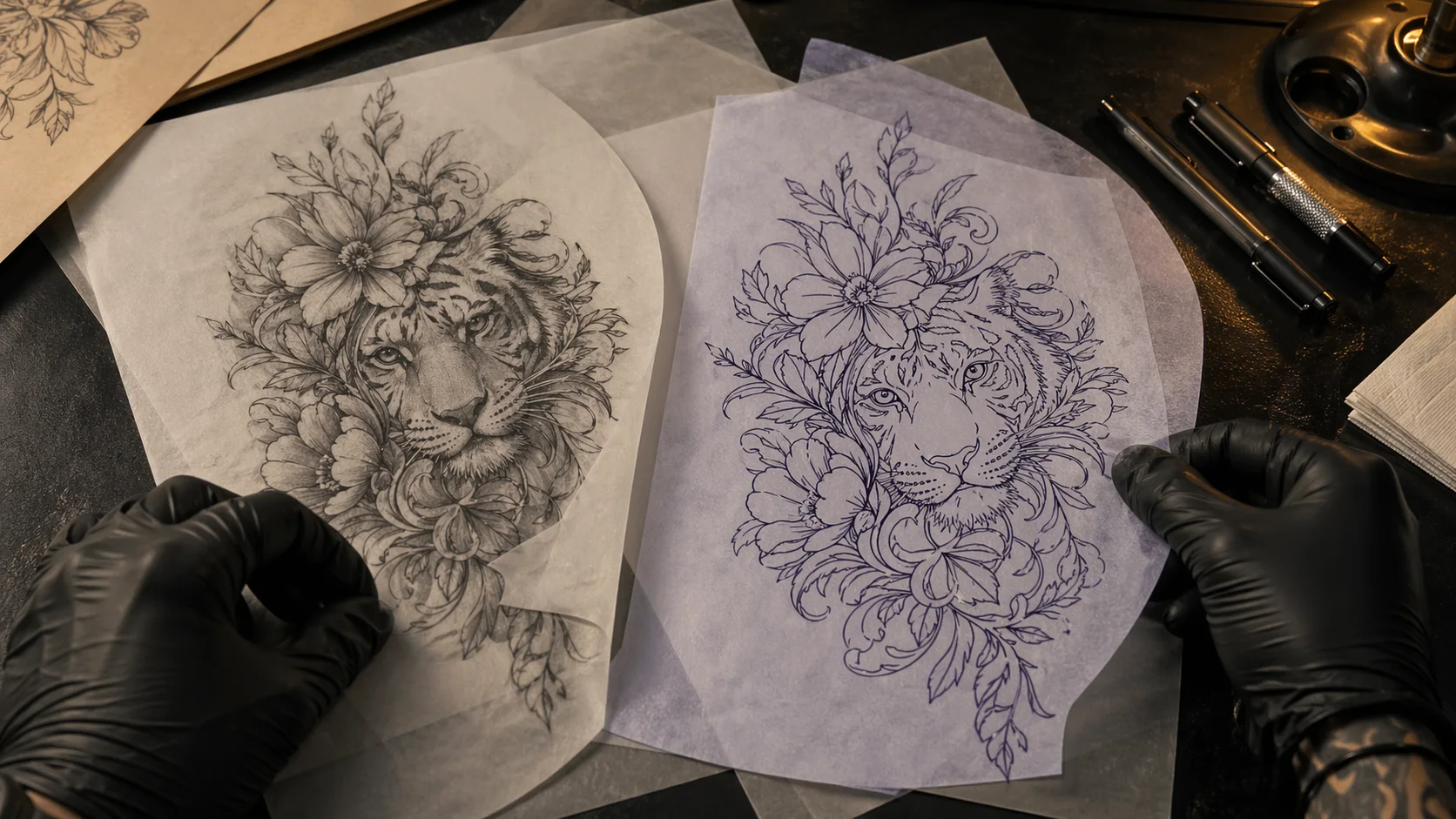
What we would defend: the run from a rough idea to clean transferable linework happens in one place, the linework is editable by hand instead of take-it-or-leave-it, and eleven languages means the person designing their first tattoo in Seoul or São Paulo reads the same style guides as everyone else. And what comes out is a design to hand your artist, not a finished stencil for the machine. They will adapt it to your placement and your skin before anything gets tattooed.
Picking one without overthinking it
Start from your actual situation.
- You want one tattoo and hate subscriptions. Ink Studio AI. $12.99 for seven days, no renewal, then it stops.
- You are broke and exploring. INK, three free designs a day, on your phone.
- You have a tattoo you want covered. BlackInk AI or INK, the only two here with a tool built for it.
- You are planning a sleeve. BlackInk's placement templates or INK's sleeve generator.
- You are selling the artwork. Adobe Firefly for the commercial-safety statement, or ask Tat Ink to clarify its license in writing.
- You want to see it on your arm before you commit. INKHUNTER, and it is not a close call.
- You need a stencil, editable lines, and a language other than English. That one is ours.
Whichever you use, the design that comes out is a starting point for a conversation with an artist. The reference-gathering habits in our tattoo photo community guide work the same way on AI output as on screenshots. If you have not settled on a direction, the style gallery narrows it faster than any generator will, and the fine line guide shows how much detail actually survives on skin. Writing the prompt is its own skill, covered separately in the ChatGPT Images 2.0 guide.
Competitor prices and free limits in this article were read from each vendor's own site on 27 July 2026 and will drift. OpenInk's free allowance was updated on 30 August 2026. Check the pricing page before you pay for anything, including ours.
Frequently asked
What is the best free AI tattoo generator right now?
For sheer volume, INK at inkaitattoo.com: its site offers 3 AI tattoo designs per day with no card required, and the allowance resets daily. Tat Ink and Adobe Firefly also give free daily generations but do not publish the number. As of July 2026.
Can I use an AI tattoo design commercially?
It depends entirely on the tool, and the answers are far apart. Adobe states Firefly output is commercially safe even on the free tier. Tat Ink's FAQ says all paid plans carry a full commercial license. BlackInk AI explicitly forbids resale and redistribution. OpenInk grants commercial rights only on Pro. Check the terms before you sell anything.
Which AI tattoo generators actually produce a stencil?
Three of the eight tools compared here list a stencil tool by name: BlackInk AI (image-to-stencil, Pro only for unlimited use), Tat Ink (Tattoo to Stencil) and OpenInk. Ink Studio AI and Adobe Firefly list no stencil extraction on their product pages. A stencil is high-contrast linework meant to be printed for thermal transfer, not a shaded illustration.
Can these apps show a tattoo on my actual body?
Only INKHUNTER does live camera AR, where the design tracks your skin as you move. Everything else composites a design onto a still photo you upload, which is harder to read on curved placements like a full wrap. TattoosAI's own FAQ says it has no body preview yet.
Turn this guide into a tattoo draft
Keep the motif from this article, then test style, placement, and line weight before you talk with an artist.